
Figma Working Calculator:
Side Project
October 2023

ROLE
UX & UI
TEAM
Sole Designer
TOOLS
Figma
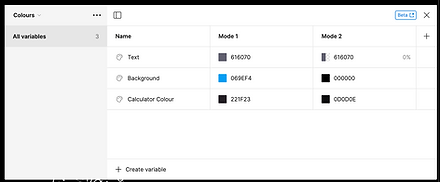
In June of 2023, Figma held Config 2023, an event where they unveiled a host of exciting new features. One of the most notable among them was the introduction of variables. This powerful tool allows designers to incorporate variables into their prototypes, enabling them to demonstrate their designs dynamically. For example, variables can be used to track social media likes on a website or to show how prices change as items are added to a shopping cart.
To explore the full potential of this new feature, I decided to create a live calculator prototype that can perform basic arithmetic operations seamlessly, just like a real calculator. While this may sound straightforward, it required advanced programming skills to create each button and to implement a working memory that remembers the last operation the user performed. Drawing on my background in physics, I carefully programmed the logic to ensure that even if the user selects unusual options, the calculator would continue to function without breaking.
You can try out the prototype yourself by clicking here or view the original Figma document here to gain a better understanding of how it works.


The Process
Logic
You might be wondering: how this was achieved? Let me explain. First, the buttons had to be programmed so that whenever a number was pressed, it would set a 'user input' variable to the value of the input, multiplied by ten, and then add the new input to this value. This ensures that the calculator understands that the new input doesn't override the previous number; it simply shifts it along to the left before adding the next input.
If the number '0' was pressed, a conditional statement was set so that if the user input is 0, nothing happens. This prevents the user from inputting a whole line of 0s when a single 0 is sufficient.
For the operation buttons, a long list of conditional variables was set up.
-
If the display shows 0, whatever number was set in the user input field would be displayed. For example, if the user inputs '200' followed by '+', the display would show '200' while waiting for the next number. Before this, entering '200' '-' would program the calculator to display '-200', as it would subtract 200 from 0.
-
The last operation (i.e., the operation stored in memory) is stored to ensure that, no matter what operation key is pressed, the calculator would calculate this first before moving on. For example, if the user entered '10 + 10 - 50', the calculator correctly parses the initial calculation first (10+10=20) before subtracting 50 to equal -30, rather than subtracting the second 10 from the previous result when the minus button was selected.
-
After an operation button has been selected and the next number calculated, the user input is set to 0, and the last operation (i.e., the operation stored in memory) is set to be the operation button selected. This ensures that the user has a clean slate to input the next number.
There are a few other variables-based features and Easter eggs within the prototype:
-
The user has the option to select the background color on the right-hand side.
-
By pressing the red 'off' button, the display turns off (in reality, the numbers become transparent and reset to 0). A translucent overlay covers the calculator, and the background becomes a starry night sky, complete with a moon icon. Turning the calculator back on reverses these changes and displays a little Easter egg welcoming the user back.
To complete the design, each button has a depressed state to indicate to the user that the button has been pressed. This state is typically darker and reduces the light reflections shown on the button.
If I were to do this project again, I would consider making a clean app-based variant of the calculator. However, who could resist the exquisite 1980s design style of Dieter Rams and the ET66 phsyical calculator?
You can view the Figma file itself by clicking this link.